# 打包问题
:question: 'ValueError: too many values to unpack (expected 2)
A: [资源文件打包配置](https://blog.csdn.net/weixin_42052836/article/details/82315118)
资源文件包括打包的python项目使用的相关文件,如图标文件,文本文件等。
对于此类资源文件的打包需要设置Analysis的datas,如例子所示datas接收元组:
datas=[(SETUP_DIR+'lib\\icon','lib\\icon'),(SETUP_DIR+'data','data')]。
元组的组成为(原项目中资源文件路径,打包后路径),
例子中的(SETUP_DIR+'lib\\icon','lib\\icon')表示从D:\\install_test\\FASTPLOT\\lib\\icon下的图标文件打包后放入打包结果路径下的lib\\icon目录。
---
:question: (kmanenv) [gavin@gavin-2 tkman]$open Release/kmanapp.app/
:question: FAIL - LSOpenURLsWithRole() failed with error -10810 for the file /Users/mark/penv/tkman/Release/kmanapp.app.
(kmanenv) [gavin@gavin-2 tkman]$Release/kmanapp.app/Contents/MacOS/kmanapp
OK
A:
1. 到其他路径区执行(kmanenv) [gavin@gavin-2 penv]$py kman/kmanapp.py看有没有问题
2. 所有路径合并,不用+, 用os.path.join()
```python
frozen = 'not'
#CURRPATH = os.path.dirname(os.path.realpath(sys.argv[0]))
CURRPATH = ''
if getattr(sys, 'frozen', False):
# we are running in a bundle
frozen = 'ever so'
CURRPATH = sys._MEIPASS
os.chdir(CURRPATH)
else:
# we are running in a normal Python environment
CURRPATH = os.path.dirname(os.path.abspath(__file__))
```
---
:question: (kmanenv) [gavin@gavin-2 tkman]$pyinstaller --distpath Release -w -c -i kmanapp.ico kmanapp.spec
:question: 21750 ERROR: Can not find path ./libshiboken2.abi3.5.15.dylib (needed by /Users/mark/.virtualenvs/kmanenv/lib/python3.7/site-packages/PySide2/QtGui.abi3.so)
A: rm -fr __pycache__, 重新打包
:question: (kmanenv) [gavin@gavin-2 kman]$Release/kmanapp.app/Contents/MacOS/kmanapp
:question: NameError: name 'kMan' is not defined
A:
```xx
pathex=['/Users/mark/penv/kman',]
Analysis(['kmanapp.py'], ==>
Analysis(['kman.py', 'kmanapp.py', 'kmanapp_rc.py', 'mainwindow.py', 'mtable.py', 'parseweb.py', ],
...
```
**这里有个问题,打开app是会运行所有('kman.py', 'kmanapp.py', 'kmanapp_rc.py', 'mainwindow.py', 'mtable.py', 'parseweb.py',)py文件里的main,所以在打包时要把不是入口py程序的main删除或注释掉**
---
:question: 移植到其他机器上运行还是显示: (20200702)
:question: **LSOpenURLsWithRole() failed with error -10810 for the file /Users/mark/penv/tkman/Release/kmanapp.app.**
A:
MAC下:
```xx
cd /path/to/your/ApplicationName.app
xattr -l Contents/MacOS/*
```
发现有一堆"com.apple.quarantine",说明有问题,运行:
**xattr -dr com.apple.quarantine '/我的安装路径/kmanapp.app'**
可以正常打开,原因不清,[参考链接](https://apple.stackexchange.com/questions/181026/lsopenurlswithrole-failed-with-error-10810-cant-open-install-os-x-yosemite)
A:
Windows下:
```xx
D:\penvprj\kman\Release>D:\天翼云盘下载\kmanapp/kmanapp
Traceback (most recent call last):
File "kman\kmanapp.py", line 21, in
ImportError: DLL load failed: 找不到指定的模块。
[16152] Failed to execute script kmanapp
```
```
pathex=[
'D:\\penvprj\\kman',
'c:\\users\\admin\\envs\\kman\\lib\\site-packages',
'c:\\Users\\admin\\Envs\\kman\\Lib\\site-packages\\shiboken2',
'c:\\users\\admin\\envs\\kman\\lib\\site-packages\\PySide2',
],
```
pip install PySide2==5.11.2 : toolbar显示又问题
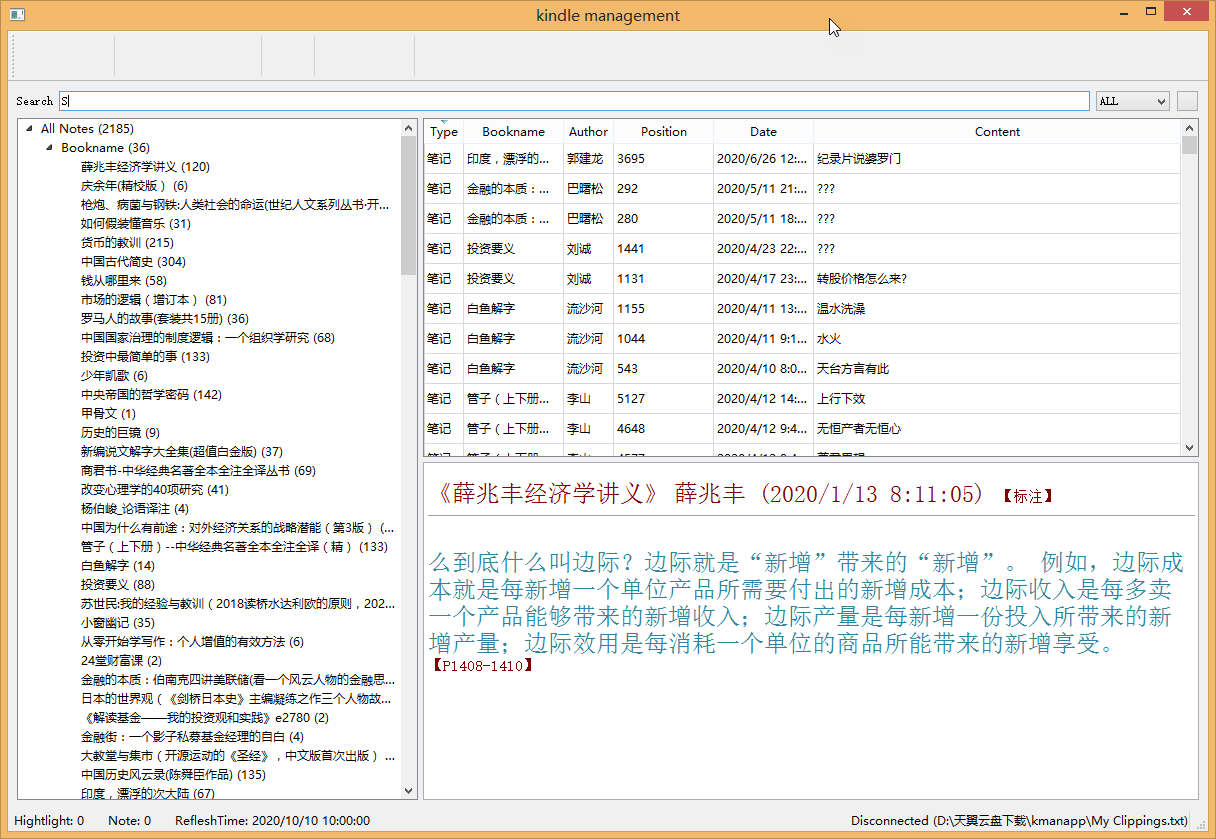
**5.12.6 ==> OK**
**注意**:卸载老版本,新装其他版本pyside后, 资源文件和ui文件需重新生产(用pyside2-uic & pyside2-rcc)
---
:question: MAC下重装pyside2后,打包又出现:
LSOpenURLsWithRole() failed with error -10810 for the file /Users/mark/penv/kman/Release/kmanapp.app
:cry: :cry: :cry::
A:
安装各种版本pyside2,无效!
pip uninstall pyside2后,pyside2文件夹依然存在,
猜测可能是之前对pyside2进行裁剪的原因,在python虚拟环境下手动删除pyside2目录
```
rm -fr ~/.virtualenvs/kmanenv/lib/python3.7/site-packages/PySide2
pip install pyside2
```
解决!
# Reference
1. [ModuleNotFoundError: No module named 'pkg_resources.py2_warn' ](https://blog.csdn.net/qq_40608730/article/details/104864943)
1. [pyinstaller使用自定义spec](https://www.cnblogs.com/yemeng/p/6253097.html)
1. [Python中的图片打包与pyinstaller中的spec文件简介](https://blog.csdn.net/SCDS_Zyx/article/details/82052396)
1. [LSOpenURLsWithRole error-10810](https://apple.stackexchange.com/questions/181026/lsopenurlswithrole-failed-with-error-10810-cant-open-install-os-x-yosemite)
1. [How to fix “ImportError: unable to find Qt5Core.dll on PATH” after pyinstaller bundled the python application](https://stackoverflow.com/questions/56949297/how-to-fix-importerror-unable-to-find-qt5core-dll-on-path-after-pyinstaller-b)
1. [my spec file1](kmanapp.spec)
1. [my spec file2](kmanapp.win.spec)